Update everyday details
Make supported changes such as event dates, business hours, prices, or service information through clear forms.

Your site editor
Your dashboard is organized around your actual site, so the tools and fields you see match the things you can manage.
Change it yourself
The editor shows your own page beside a panel of the words, links, photos and dates you can change. Pick one, edit it, and save.
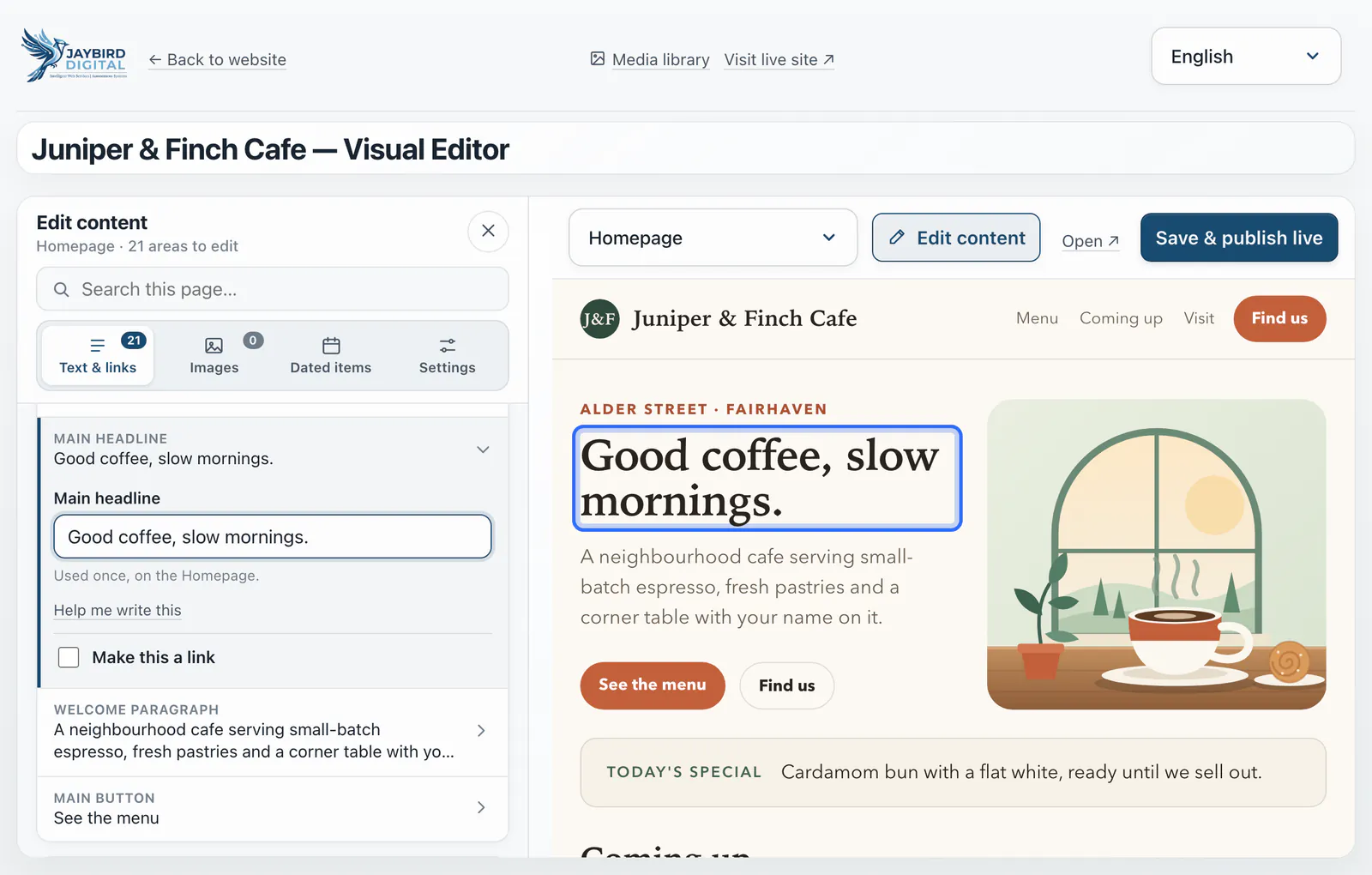
An invented café, shown to explain how the editor works.
Make supported changes such as event dates, business hours, prices, or service information through clear forms.
Browse the pictures your website uses and keep them organized with the rest of your site tools.
Find your domain, DNS, email, website access, billing, and protection controls in separate areas.
Changes that need more room
The assistant handles simple changes as part of your subscription, and your plan includes 5 design changes a month, with 10 more for $5. Changes made through your own AI tool are not counted.