From hello to a live website,
in three easy steps.

No jargon, no learning curve. You stay in charge the whole way, and nothing goes live until you say so.

Step 1

Tell us about your business

Chat about what you do, who you help and what you want visitors to do. You get a plan first, and you can change it before anything is built.

  • Talk the way you would to a colleague.
  • Already have a website? We can bring it across.
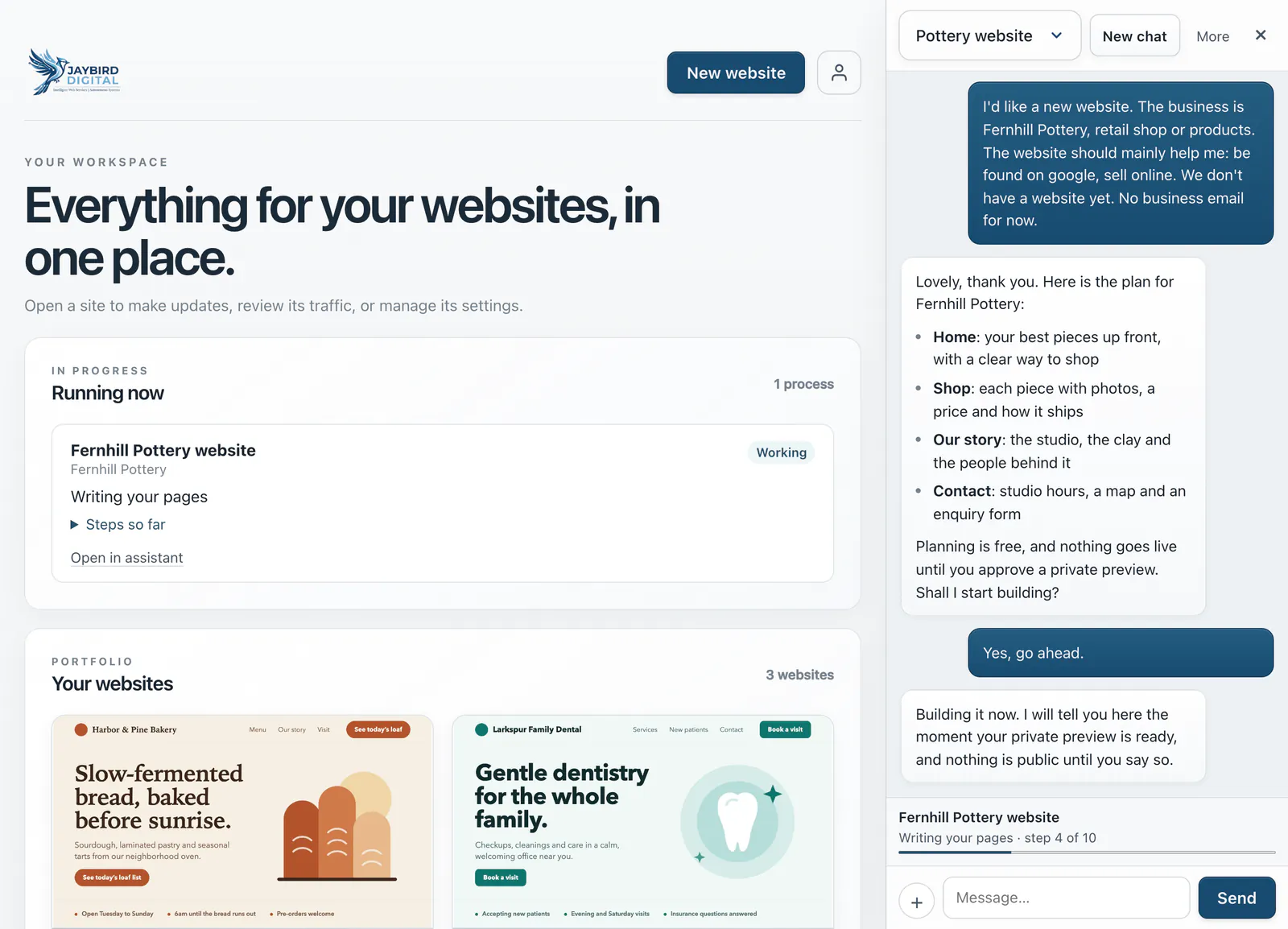
ExampleThe first conversation
The Jaybird assistant panel beside the owner’s dashboard: a new owner’s first message about a pottery studio, the assistant’s four-page plan with the line that nothing goes live until a private preview is approved, the owner saying yes, and a progress bar reading Writing your pages, step 4 of 10.

Step 2

Look it over

Your website is built as soon as you start your plan, and shown to you first as a private preview that only you can open. Ask for changes until you are happy with it.

  • Planning costs nothing. You pay when you start your plan, with 14 days to change your mind.
  • Nothing is public while you look.
  • Ask for changes in plain words until it is right.
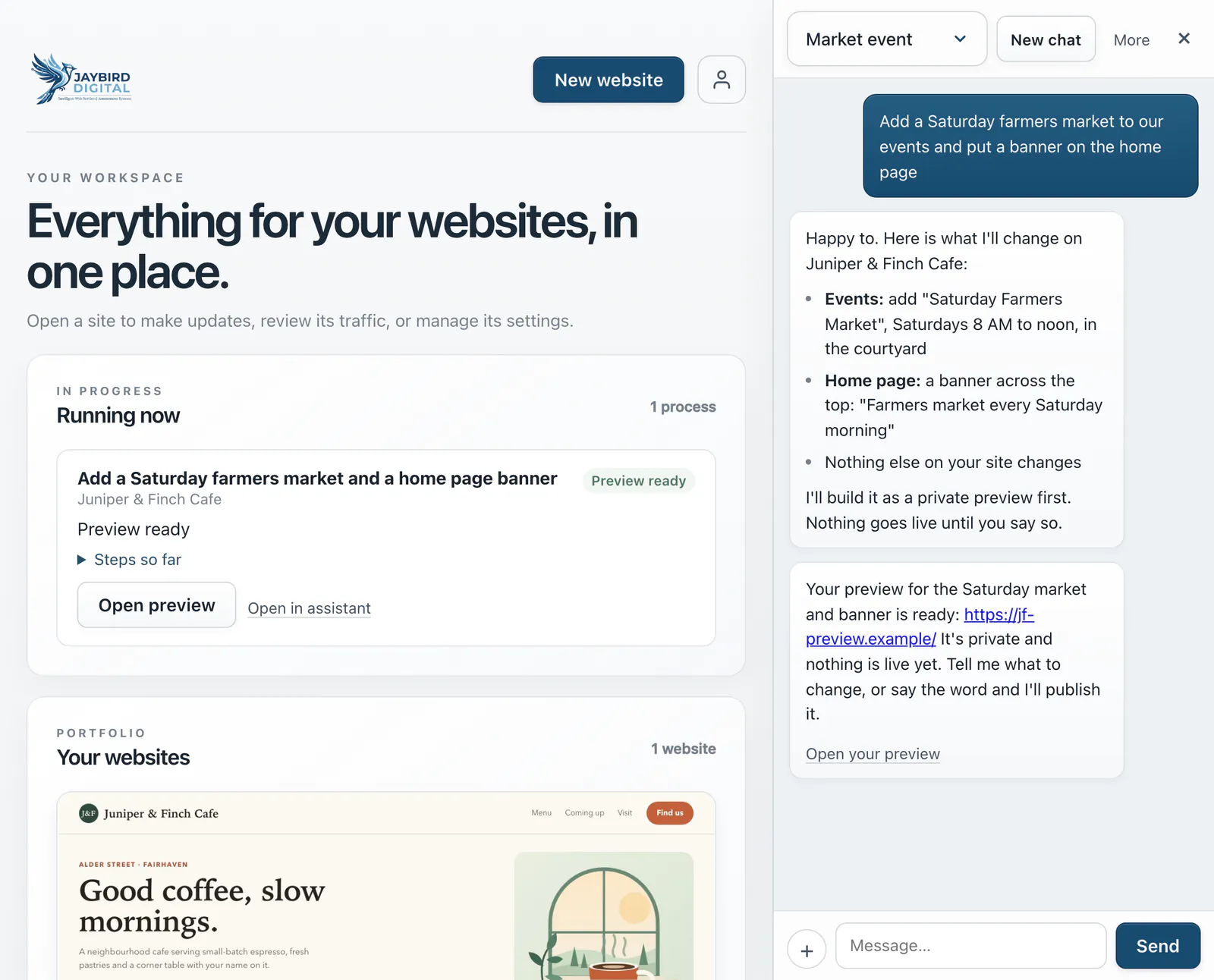
ExampleA preview, ready to open
The Jaybird assistant open beside the owner’s dashboard: the owner asks for a Saturday farmers market in the events and a banner on the home page, the assistant lists the two changes it will make, and a private preview is ready with nothing live yet.

Step 3

Go live

Approve it and it goes live on our secure hosting, which your plan includes. If you have your own domain name, we also set it up for Google and Bing.

  • You decide when it goes live.
  • Hosting is part of your plan, with no separate bill.
  • Your own domain name is a separate yearly cost.
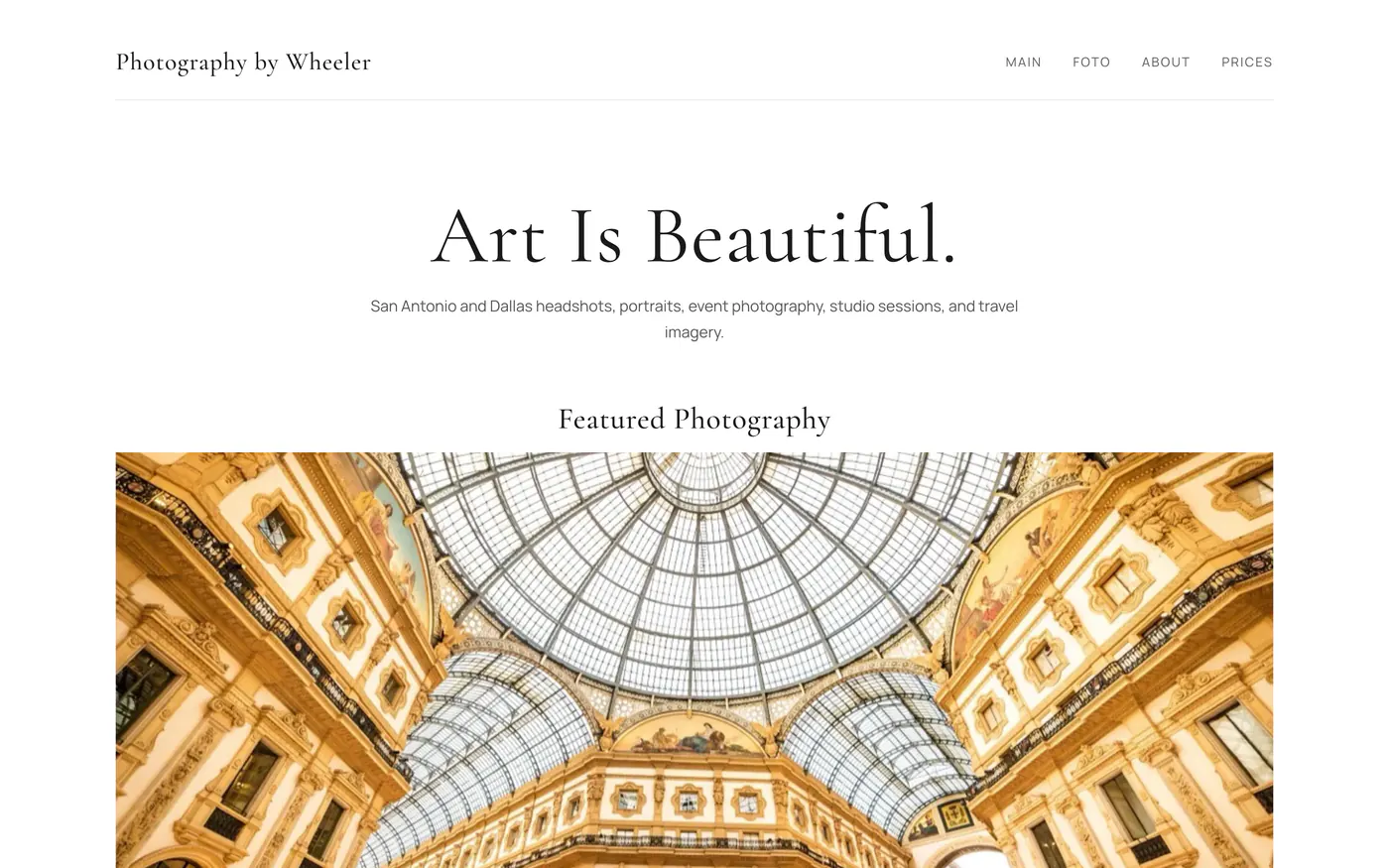
A real sitePhotography by Wheeler
A photography website built with Jaybird: a large serif headline, a short description of the photographer’s work and the first featured photograph, an interior view of a glass-roofed arcade.

Keeping it fresh is just as easy.

Ask for a change

“Update our holiday hours.” Ask our assistant, or your own AI tool, and the change arrives as a private preview first. You approve it before it goes live.

Our assistant: simple changes as part of your subscription, 5 design changes a month, and 10 more for $5. Changes through your own AI tool are not counted.

Do small things yourself

Add an event, change a price or update your hours right in your editor. Small changes like these go live as you save them, and they do not count toward your design changes.

Watch it grow

See visits and searches on your dashboard, and a simple check-up of how you look online.

Start with a conversation.

$7 a month, and access is by invitation while we open up.

Start my website See pricing