Your websites only
A connection covers the websites on your account and no one else’s. You say which one to work on. The AI tool cannot see platform secrets.
Your own AI tool
Already ask ChatGPT, Claude or another AI assistant for help? Connect it to your website once, then ask it for the changes you would otherwise type into a form. The connection is called MCP, a standard way for AI tools to work with other services, and you never have to touch it.
Changes you make through your own AI tool are not counted. They do not use the 5 design changes a month that come with asking our assistant in chat.
How it works
From your dashboard, choose your AI tool and follow its step-by-step setup. ChatGPT, Claude, Gemini Spark and Codex each have their own sign-in; editors such as Cursor and VS Code can add Jaybird in one click. You sign in to Jaybird in your browser.
Make requests in ordinary language: “update our hours for the holiday,” “add the new menu,” “swap the homepage photo.” Say which of your websites you mean, and your AI tool does the work there.
Changes to your pages come back as a private preview. Nothing is published until you approve it.
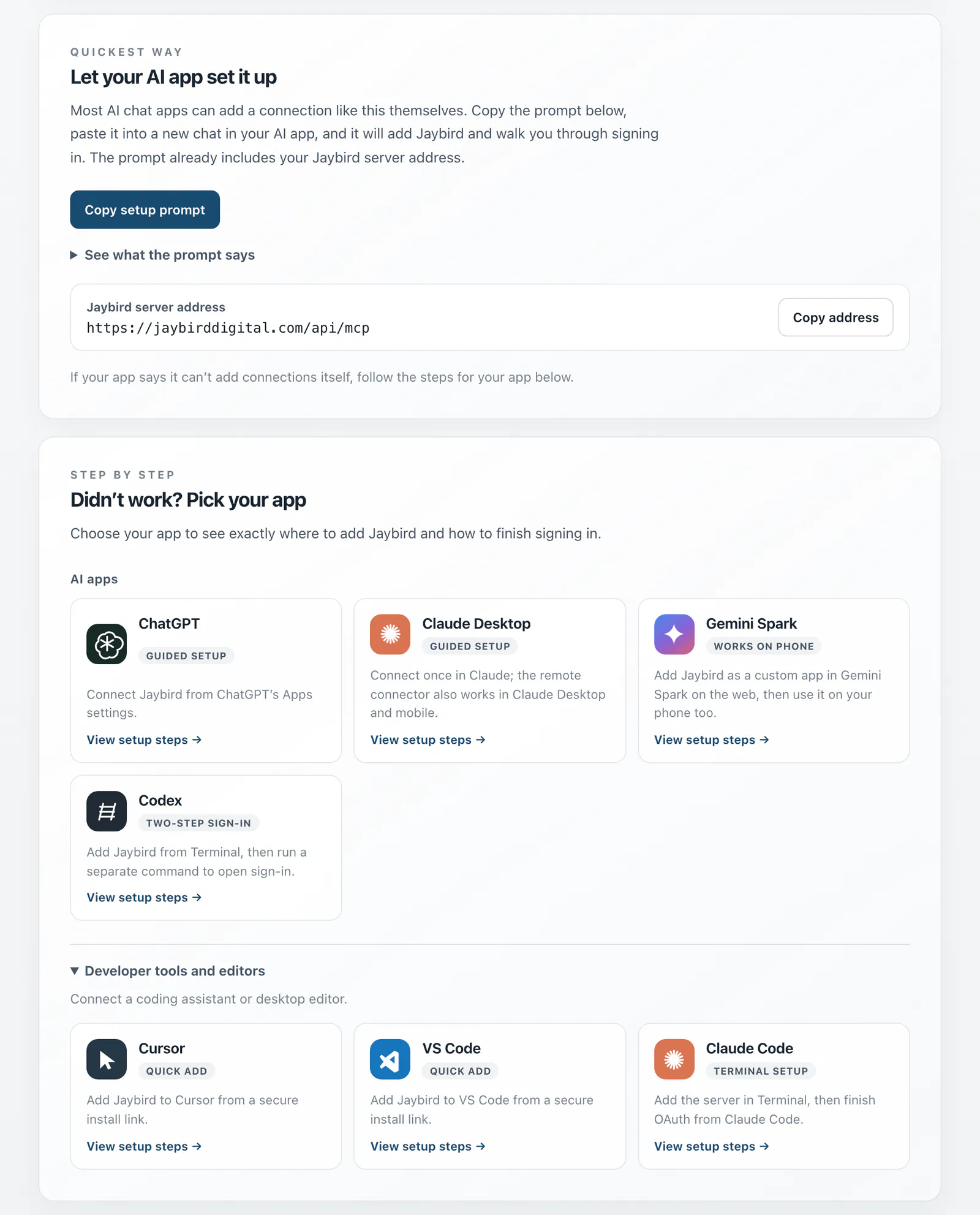
Copy one prompt into your AI tool, or follow the steps for the one you use.
What you can ask
A few of the things an owner can do from their own AI tool.
Update the hours, swap the homepage photo, rewrite a paragraph or add a page.
Add a product with its price and photos, or change one you already sell.
Put products on sale by a percentage, for the dates you choose, and end it when you like.
Add an event to your events list, or change or remove one.
Ask what came in lately. Customer contact details are left out.
Run the online presence check-up and hear the results in plain words.
Changes to your pages and design arrive as a private preview, and nothing is published without your approval. Products, sales and events take effect as they are saved, the same as when you type them into your own editor.
Guardrails
A connection covers the websites on your account and no one else’s. You say which one to work on. The AI tool cannot see platform secrets.
Changes to your pages arrive as a private preview you look over. Publishing needs your separate approval of that preview, the same rule as when you ask our assistant.
Disconnecting an app from your dashboard removes its access to your websites immediately.
Works with
Follow the guided Apps setup, authorize Jaybird, and use it in a chat. Plan and workspace access can affect editing support.
Connect once from Claude’s connector settings, then use Jaybird in Claude Desktop, web, or mobile.
Add Jaybird as a custom app on the web, then use the same connection in the Gemini phone app.
Guided setup includes both commands: one to add Jaybird and one to start browser sign-in.
Add Jaybird as a server in VS Code, then ask Copilot Chat for changes in agent mode.
Use the quick install link, then complete the app’s normal sign-in step.
Install with one click, or add the server from the command palette.
Add Jaybird with one terminal command, then sign in from your browser.
Product names and logos belong to their owners and are shown only to say which tools work with Jaybird. They do not imply endorsement.
Any AI tool that can connect to outside services in this way can use Jaybird, including ones we have never heard of.
No account yet
Ask an AI tool for a website and it can put one up here straight away, with no account, sign-in or key. Your AI tool writes the pages and gives you an address to look at. A draft stays up for 7 days. To keep it, or put it on a domain of its own, open the link your AI tool gives you.
Add https://jaybirddigital.com/api/start/mcp to your AI tool as a connector. No sign-in is needed to start. Tools that call web addresses directly can use the same steps described in openapi.json.
Start a website, save and read its files, delete a file or the whole website, and look up which domain names can be registered. Only the AI tool holding a website’s key can change it. Once you have an account, sign in when your AI tool asks, on the same connector: the websites it starts or works on then join your account, so it finds them again in any later chat without the key, and it can work on your other websites too.
Each draft has an address of its own at jaybirdsites.com, with a bar that says it is a draft and a link to report it. Drafts are hidden from search engines, and pages there cannot ask for passwords or card numbers.
We keep the files your AI tool saves, the name and description it gives the website, and which tool sent them. Nothing about you is asked for until you choose to keep it. Read more in our privacy policy. Questions, or a draft that should come down: steve@jaybirddigital.com.
Connect your AI tool from your dashboard. Changes made through it are not counted toward your design changes.
Get started See pricing